 ROSEHELP
⚙️ Store settings
Find your store settings (Administration → Settings)
Every store setting lives in Administration → SETTINGS, in groups on the left. This guide says what is in each group and which guide explains it.
In RoseAll stores
Open SettingsRose
- Open Menu → Administration and the SETTINGS tab.
- Click a group on the left (on a phone, the chips at the top). One group shows at a time.
- Groups with a SAVE button keep nothing until you press it; UNDO CHANGES puts back what is saved.
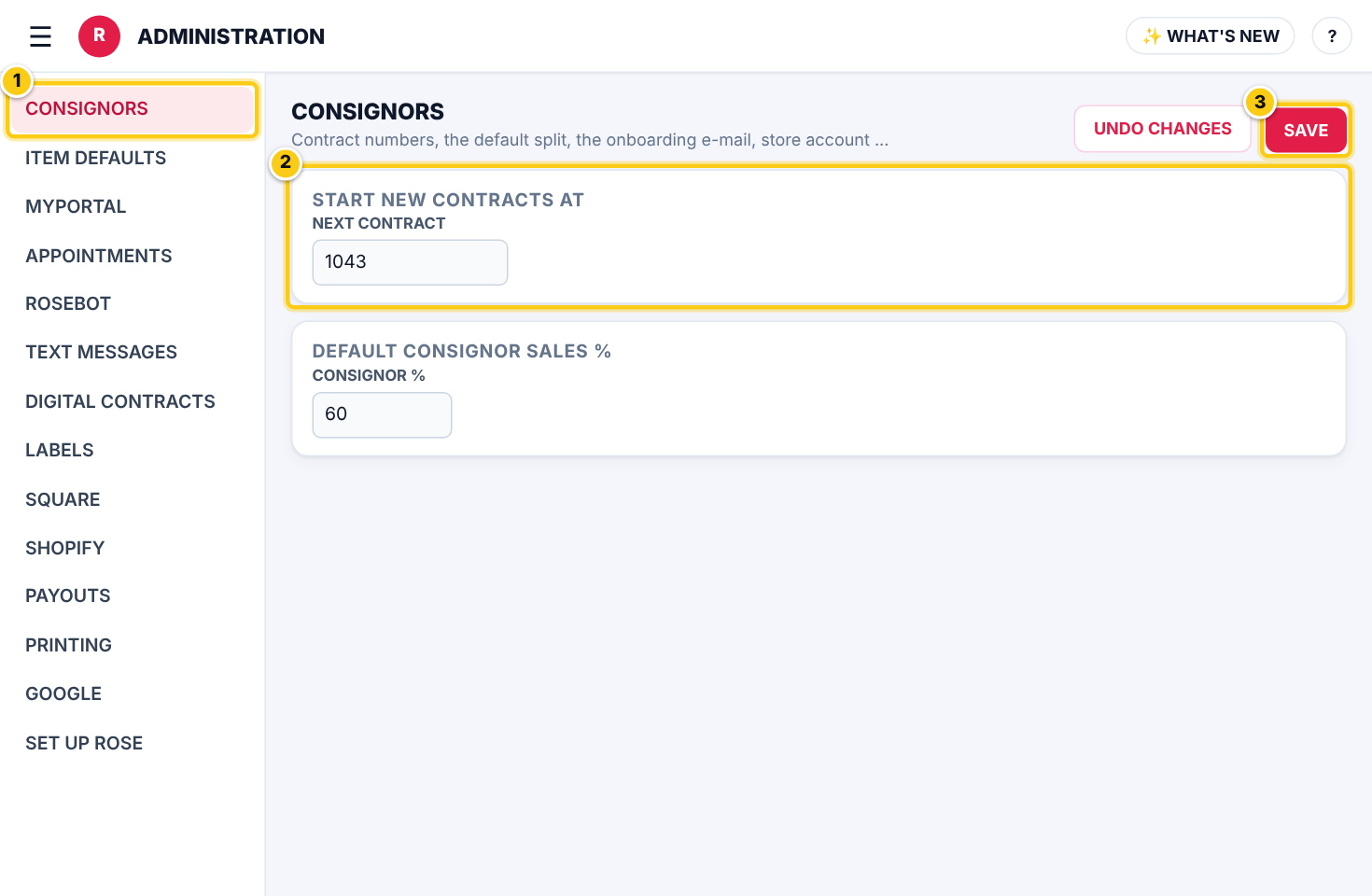
What each group holdsRose
| Field | What it means |
|---|---|
| CONSIGNORS | Next contract number, DEFAULT CONSIGNOR SALES %, the onboarding e-mail, the store account, expired items, payout rules, take-in receipts and sales e-mails. See Consignor and contract defaults. |
| ITEM DEFAULTS | What a new item starts with. See Item defaults. |
| MYPORTAL | myPortal access, invites, the item options consignors and vendors see, items that sell at the portal and vendor deals. See Invite to myPortal. |
| APPOINTMENTS | myPortal appointment requests (Rose Pro) and the public booking page (Rose Enterprise). |
| ROSEBOT | What Rosebot may do for staff, consignors and vendors, and Rosebot e-mails. |
| TEXT MESSAGES | SMS texting: who pays, sales texts and reminders. |
| DIGITAL CONTRACTS | Contracts and receipts signed on screen. See Digital contracts. |
| LABELS | Label sizes, what prints and the LABEL DESIGNER. See Label designer. |
| SQUARE | The Square connection, catalog import and how items are named in Square. |
| SHOPIFY | Connect Shopify POS and your Shopify online store. |
| PAYOUTS | Checks and the CHECK DESIGNER, payout notices, PayPal & Venmo, QuickBooks and Rose Pay. |
| WHITE LABEL | Your own myPortal address, name and logo (Rose Enterprise). |
| ONLINE STORE WEBSITE | Website sections kept up to date by Rose (Rose Enterprise). |
| ROSE API | API keys for your own developers (Rose Enterprise). See Rose API. |
| PRINTING | PrintNode / KloudPrint printers (Rose Pro). See Set up printing. |
| Google Calendar for each location (Rose Pro). | |
| SET UP ROSE | Run the set-up wizard again: how you sell, consignor and myPortal defaults, item defaults, Square and labels. NEXT saves a step, SKIP leaves it as it is. |
Who can do this (user rights)
| Right in User Maintenance | What it allows | Who has it at first |
|---|---|---|
| Administration and Subscription Plans | Opens Administration → SETTINGS. | Users with Administration ticked in User Maintenance (normally administrators) |
Questions
I changed a setting but nothing happened.
If the group has a SAVE button, press it. Most defaults apply to new contracts and items only; existing ones keep their own values.